
notefig / notefigStar
The open-source AI metaharness.
MIT LicenseTypeScript
$ git clone github.com/notefig/notefig
Open source
Yours to read, run and change
MIT licensed, on GitHub. No black box between you and your agents.
The open-source AI metaharness. Run all your agents side by side, right in your Markdown.
Open source, MIT licensed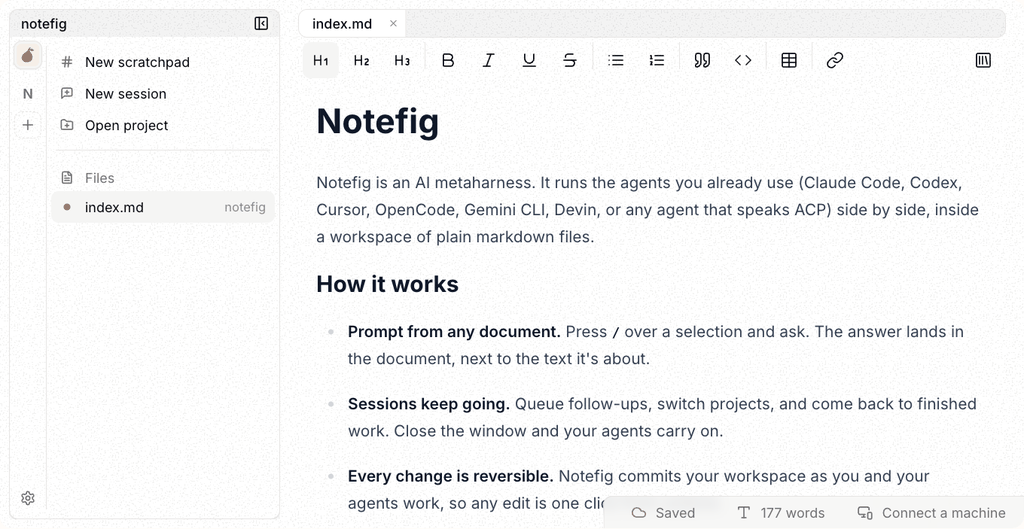
Notefig runs as a desktop app and in the browser. Both edit the same plain markdown files. The desktop app works against folders on your machine; the web app keeps a workspace in your browser.
Apple silicon and Intel, macOS 12 or later.
The app checks for updates on its own, so this is the only download you need.
Nothing to install: the web app is the same editor you are reading this in.
The CLI builds and publishes a folder of markdown. It is a separate install:
npm install -g notefigSee the CLI page for what it can do.
Not yet. The desktop app is built on Tauri, so both are on the way. The web app works everywhere in the meantime.
Search for a command to run...
Works with the agents you already use
Collaboration
Ask Claude Code about one part and OpenCode about another. They work side by side while you keep writing, and every answer lands in the doc.
Try it in the browserThe open-source AI metaharness.
Open source
MIT licensed, on GitHub. No black box between you and your agents.
Markdown first
Agents work in plain Markdown you can read, diff and version, so context never gets lost in a chat log.
Metaharness
Claude Code, OpenCode, Devin and any ACP agent side by side, each with its own settings.
History
Every change is committed as you work, so any agent edit is one click from undone.
Hand off work. Keep working. Come back to results.
Chat with an agent that edits your whole workspace.
Close the window; your agents carry on.
Every turn committed. Sync in one click.
K7Q-4MX
Waiting for your machine…
Run agents on your machine, drive them from the browser.
Queue work and come back to results.